Key Takeaways
- LinkedIn doesn't let you export a proper CV format – you get a messy PDF or basic text file.
- Manual reformatting takes 2-4 hours (and that's if you're fast).
- ATS systems reject 75% of resumes that aren't properly formatted.
- Using specialized tools can turn your profile into an optimized CV in minutes.
- Your LinkedIn has the content, just not the structure recruiters need.
Ready to skip the hassle? Paste your LinkedIn profile link and build an ATS-optimized CV in 5 minutes with Linked CV Builder.

Look, I've been down this road. You spend months building a solid LinkedIn profile – adding jobs, polishing descriptions, collecting recommendations. Then you need a CV for an actual application and think "great, I'll just export this."
Nope.
LinkedIn's export feature is basically useless for job applications. What you get is either a janky PDF that looks like it was designed in 2009 or a text dump that no human should ever have to read. Neither one is getting past an ATS system, let alone impressing a hiring manager.
What LinkedIn Actually Gives You
When you go to download your LinkedIn data (Settings & Privacy → Data Privacy → Get a copy of your data), you get an archive file. Inside? A bunch of CSV files and some HTML pages that are meant for... I don't even know what they're meant for, honestly. Compliance, maybe.
The "profile" option gives you a PDF. But this PDF includes everything – your entire activity feed, posts you've liked, comments you've made. It's your LinkedIn profile screenshot basically, not a resume.
Zero thought to formatting. No consideration for what recruiters need to see. Just... everything, dumped onto pages.
Why You Can't Just Copy-Paste
Here's the thing nobody tells you: LinkedIn profiles and CVs serve different purposes. Your LinkedIn is a living, searchable database of your career. A CV is a targeted document meant to get you past automated screening and into an interview.
LinkedIn profiles are verbose – you write in first person, you tell stories, you add personality. CVs need to be concise, third person, achievement-focused. The structure's different. The tone's different.
I tried the manual route once. Took me almost 3 hours to copy everything from LinkedIn, reformat it in Word, clean up the language, add proper bullet points, fix spacing issues. Then I realized I needed different versions for different jobs.
Never again.
The Manual Method (If You Hate Yourself)
Okay, if you really want to do this the hard way:
- Open LinkedIn profile in browser.
- Start copying sections one by one into a document.
- Rewrite everything from first person to third person ("I managed a team" becomes "Managed a team").
- Format job descriptions into clean bullet points.
- Remove all the LinkedIn-specific stuff (recommendations, endorsements, activity).
- Add proper CV sections that LinkedIn doesn't have (professional summary, core competencies).
- Fight with Word formatting for 45 minutes.
- Realize it still looks off.
- Start over.
Time investment: 2-4 hours per CV. And that's assuming you're pretty good with Word and know CV best practices. Most people... aren't and don't.
What Makes a LinkedIn-to-CV Conversion Actually Work
The gap between your LinkedIn content and a usable CV is bigger than it seems. You need:
Structural transformation – LinkedIn's sections don't map to CV sections. Your "About" isn't a professional summary. Your job descriptions are too long and conversational.
ATS optimization – Applicant Tracking Systems parse CVs in specific ways. Fancy LinkedIn formatting, text boxes, images? All that stuff breaks ATS parsing. Your CV ends up looking like gibberish to the software that decides if a human ever sees it.
Job-specific tailoring – This is huge. Generic CVs get maybe 1-2% response rates. Tailored CVs can hit 10-15%. But tailoring manually means rewriting your entire CV for each application.
That's where tools like Linked CV Builder come in. Look, I'm not saying it's the only option, but it does exactly what the manual process can't scale: pulls your LinkedIn content, restructures it into proper CV format, optimizes for ATS, and tailors it to specific jobs.
The platform claims users see a 3X increase in response rates. That tracks with what I've seen – when you move from a generic, poorly formatted LinkedIn export to a proper, targeted CV, recruiters actually respond.
The Smart Way: Using Specialized Tools
Here's how it actually works when you use something built for this:
You paste your LinkedIn profile link. The tool extracts your work history, education, skills – all the content you've already written. Then it restructures everything into CV format: professional summary at top, work experience with achievement-focused bullets, skills section that matches what ATS systems expect.
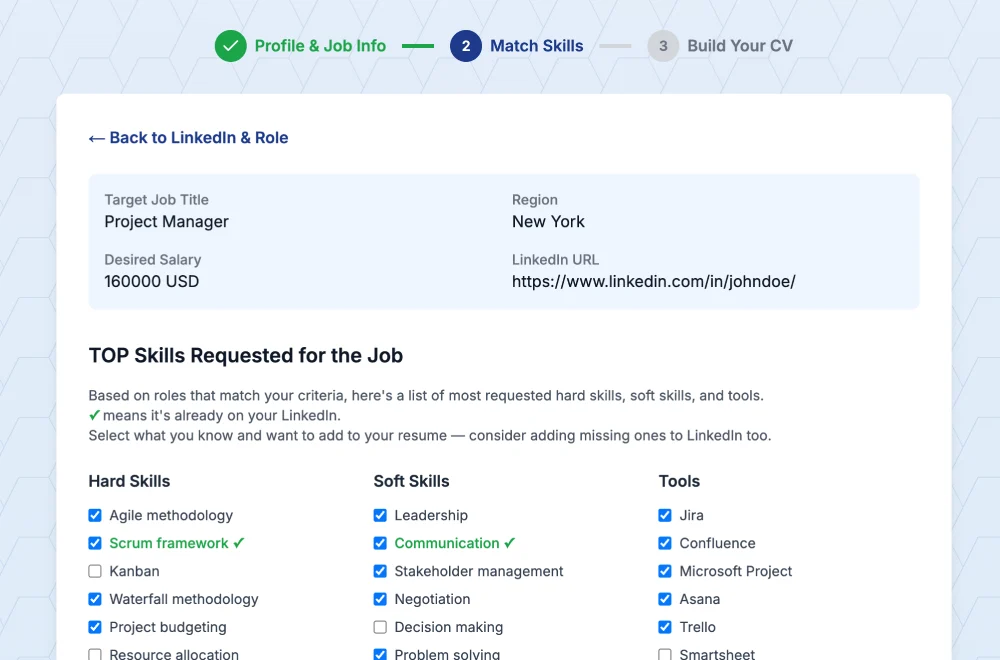
With Linked CV Builder, you can also paste a job posting URL. The AI analyzes what that specific role needs and rewrites your CV to emphasize relevant experience. It suggests skills you should highlight, reorders your bullets to put the most relevant stuff first, generates a matching cover letter.
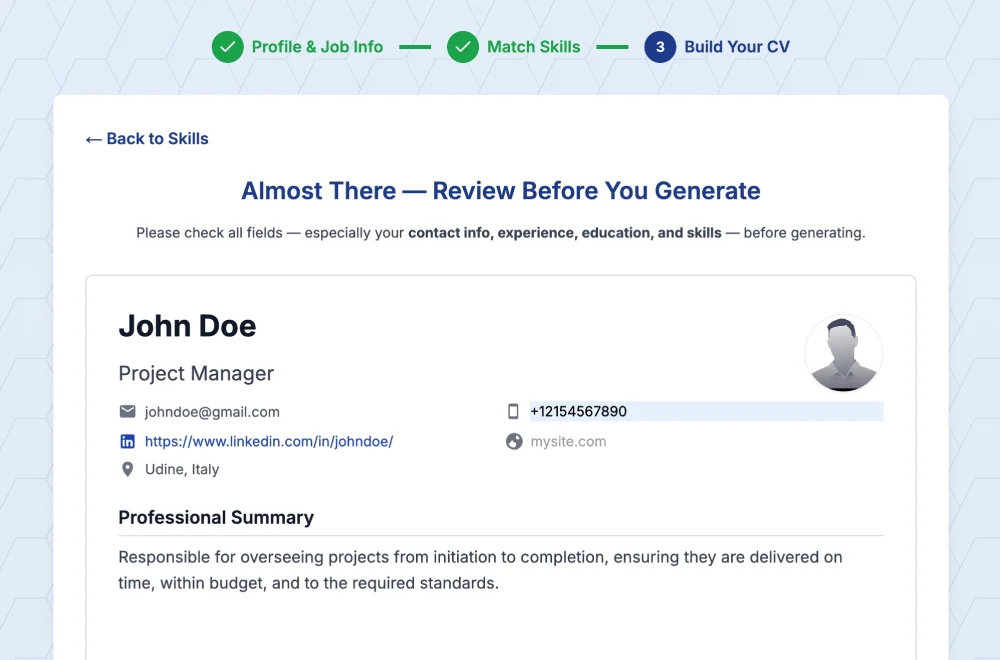
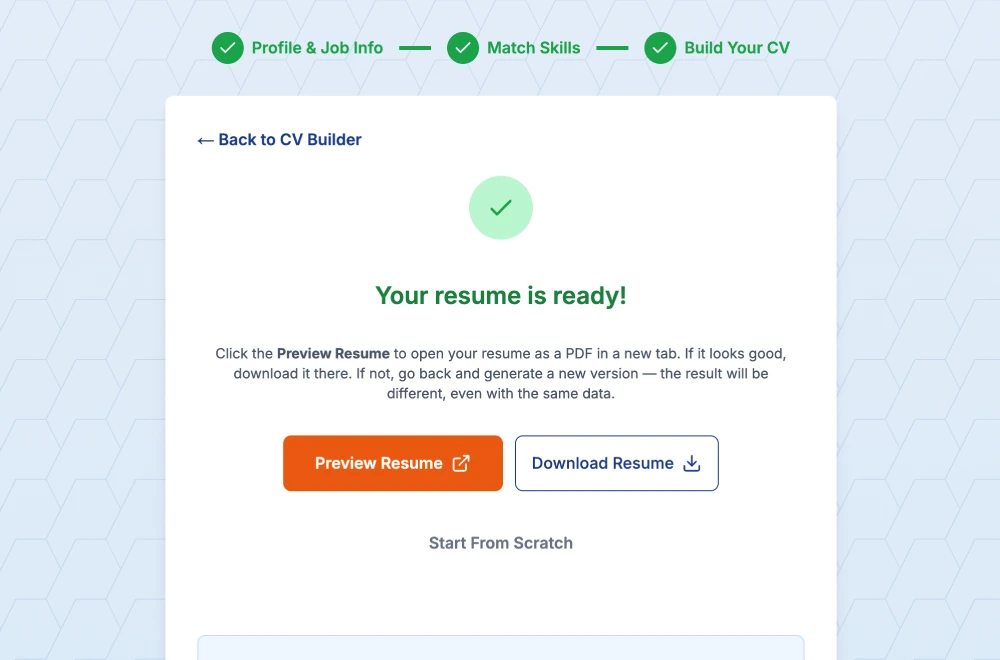
Takes about 5 minutes.
Compare that to the manual method. Or even worse, compare it to not tailoring at all and just sending the same generic CV to every job (which is what most people do because who has time to customize 20 applications?).
What About Free Alternatives?
I tried a bunch. Some LinkedIn profile viewers let you "save as PDF." Cool, you get the same messy export LinkedIn gives you.
Resume builders that let you manually input data? Sure, but you're still doing all the work – copying from LinkedIn, reformatting, writing in CV language. The only thing they save you is fighting with Word formatting.
ChatGPT with copy-pasted LinkedIn sections? Better, but you're managing the prompts, checking for accuracy, still doing manual formatting. And you're making 10+ revisions per CV.
The free tier of Linked CV Builder gives you 3 tailored CVs to try it out. That's actually free – not "free trial with credit card required" free. If you're applying to 3 jobs, great. If you're applying to 20... you'll need credits, but at that volume, the time savings alone justify it.
My Honest Take
If you're applying to one job and you have infinite time, sure, do it manually. Copy from LinkedIn, reformat everything, make it pretty.
But if you're seriously job hunting? You don't have that time. You need multiple versions. You need them fast. You need them properly formatted for ATS.
I wasted hours trying to make LinkedIn exports work before I accepted that the gap between profile content and CV format is real. Your LinkedIn has the raw material – your experience, your accomplishments, your skills. But it's not in a format that gets you hired.
Using a tool designed specifically for LinkedIn-to-CV conversion isn't lazy. It's smart. You're leveraging the work you already did building your profile, just putting it in the format that actually matters for applications.
The alternative is watching your applications disappear into ATS black holes because your formatting's off, or burning 3 hours per CV and applying to 5 jobs instead of 20.
Your choice, honestly.
Stop wrestling with LinkedIn exports. Paste your profile link and get an ATS-optimized CV in 5 minutes with Linked CV Builder.
Your LinkedIn has the content. Now give it the structure that gets you hired.
Written by Di Reshtei