Key Takeaways
Your LinkedIn profile is basically a CV that's already 70% done. You've spent hours filling out your experience, skills, recommendations... why start from scratch when applying for jobs?
Tools like Linked CV Builder let you convert that LinkedIn profile into an ATS-ready resume in about 5 minutes. No more copying and pasting between Word docs at midnight.
The main thing? Your LinkedIn is optimized for networking, but CVs need to be optimized for robots. ATS systems (those annoying resume scanners) want specific formatting, keywords from the job posting, and clean structure. That's the gap we're filling here.
Ready to skip the manual work? Paste your LinkedIn profile link – build ATS CV in 5 minutes with Linked CV Builder →
Why LinkedIn to CV Even Matters in 2025
Look, I get it. You might be thinking "can't I just... copy my LinkedIn into a Word doc?"
Sure. You could. But here's what you'd be missing:
Companies post jobs on LinkedIn every single day, and people get hired through the platform literally every minute. But here's the kicker – your LinkedIn profile speaks "social network language" while recruiters and ATS systems speak "resume language." Different dialects entirely.
When you upload a regular resume to LinkedIn job applications, HR gives it maybe 5 seconds. Five. That's it. If your formatting is weird, if keywords are missing, if the layout doesn't scan well... you're done.
The Manual Method (AKA The Hard Way)
Before we get into the smart approach, let me show you what most people do wrong.
Step 1: Export Your LinkedIn Data
LinkedIn lets you download your data, but honestly? It's a mess. You get a bunch of CSV files and HTML pages that look like they were designed in 2009. Not exactly copy-paste friendly.
Here's how:
- Go to Settings & Privacy on LinkedIn
- Click "Get a copy of your data"
- Select what you want (Profile, Connections, etc.)
- Wait for the download link via email
- Open the files and... good luck making sense of it all
The experience section comes in one format, skills in another. Your headline is separate from your summary. It's fragmented.
Step 2: Manually Reformat Everything
This is where it gets tedious:
- Copy your job titles and descriptions
- Paste into Word or Google Docs
- Fix all the weird formatting breaks
- Add bullet points manually
- Remove the casual tone (nobody wants "I'm passionate about..." in a CV)
- Match the tense consistency
- Remove emojis and informal language
- Format dates properly
Oh, and you need to:
- Pick a template that doesn't look like garbage
- Ensure ATS compatibility (no text boxes, tables, or fancy graphics)
- Add keywords from the job description
- Cut it down to 1-2 pages
This process? Easily 2-3 hours if you want it done right. And then you have to repeat it for every different job you apply to because a generic CV gets you nowhere in 2025.
Step 3: Tailor It for Each Job
The biggest mistake job seekers make is sending the same CV everywhere. ATS systems are literally programmed to scan for specific keywords from the job posting. If you're applying for a "Senior Product Manager" role and your CV says "Product Lead" instead... the algorithm might rank you lower.
You need to:
- Read the job description carefully
- Identify key requirements and skills
- Mirror that language in your CV (without lying, obviously)
- Emphasize relevant experience
- Downplay or remove irrelevant stuff
Multiply this by 10-20 applications per week. You see the problem.
The Smart Method: Using Linked CV Builder
I tested this tool because I was curious if it actually saves time or if it's just another gimmick. Turns out... it's legit useful.
Step 1: Paste Your LinkedIn Profile URL
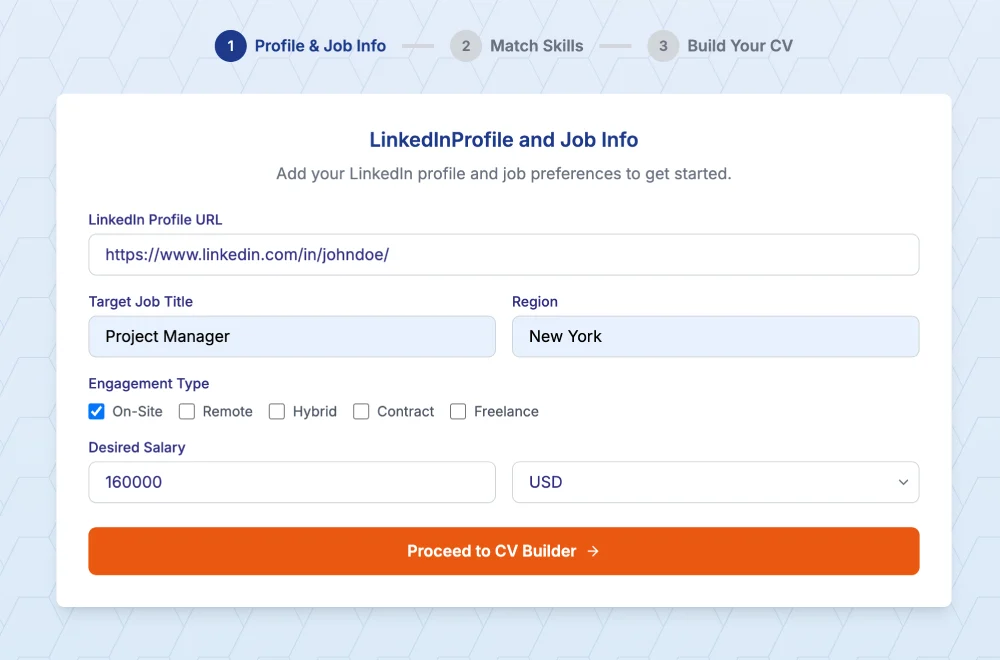
Go to your LinkedIn profile and copy the URL. It looks something like: linkedin.com/in/yourname
Head over to Linked CV Builder, paste that URL in the main field. That's it for this step.
The tool analyzes your entire profile – experience, education, skills, recommendations, even those endorsements you forgot existed.
Step 2: Fill in Any Gaps (If Needed)
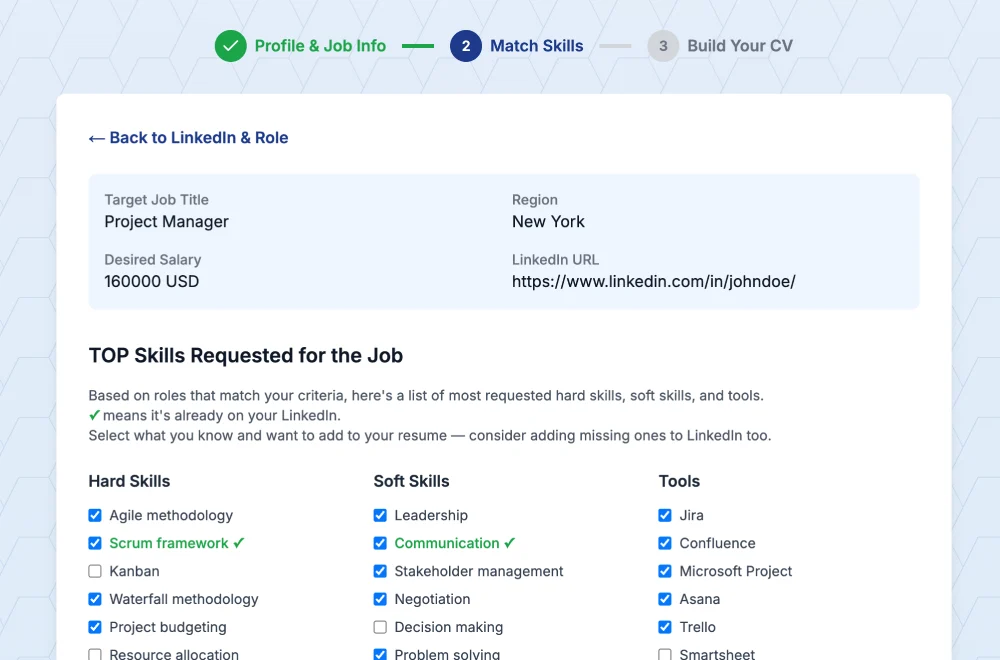
If your LinkedIn is already complete, you're mostly done. The AI pulls everything automatically.
But maybe you forgot to add that freelance project. Or you want to include a certification that's not listed. You can add those details now.
The interface is pretty straightforward – it shows what it found from LinkedIn and highlights any missing sections. No confusing menus or 15-step wizards.
Step 3: Add the Job Posting URL
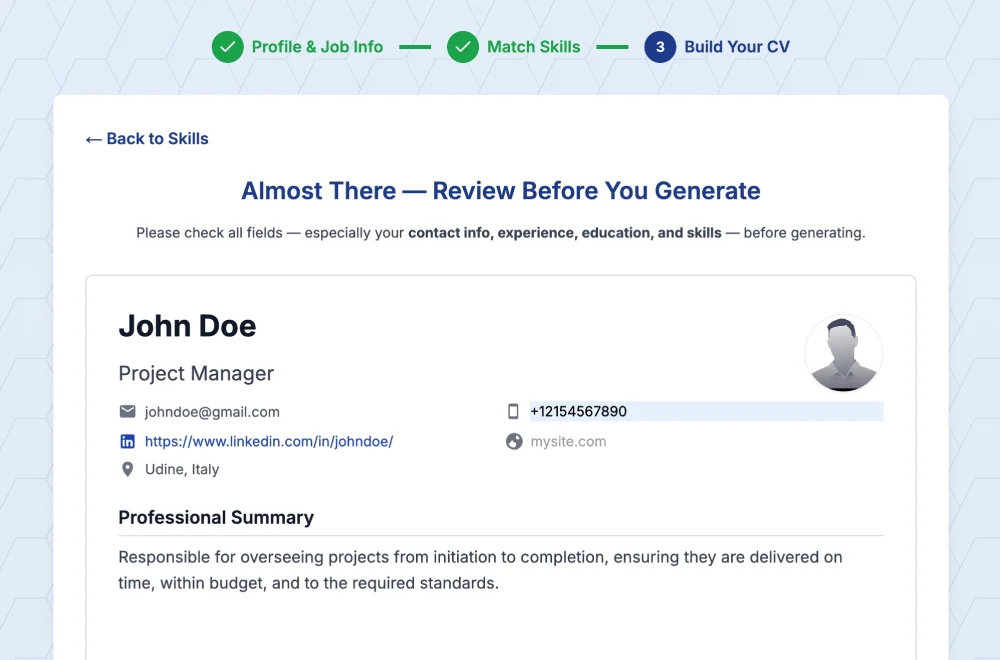
This is where it gets interesting.
Instead of manually tailoring your CV for each job, you paste the LinkedIn job posting URL. The AI reads the entire job description, extracts:
- Required skills
- Responsibilities
- Qualifications
- Keywords that ATS systems will scan for
Then it rewrites your CV to emphasize the experience that matches. It's not making stuff up – it's just reorganizing what you already have to align with what this specific employer wants to see.
Step 4: Download Your ATS-Optimized CV
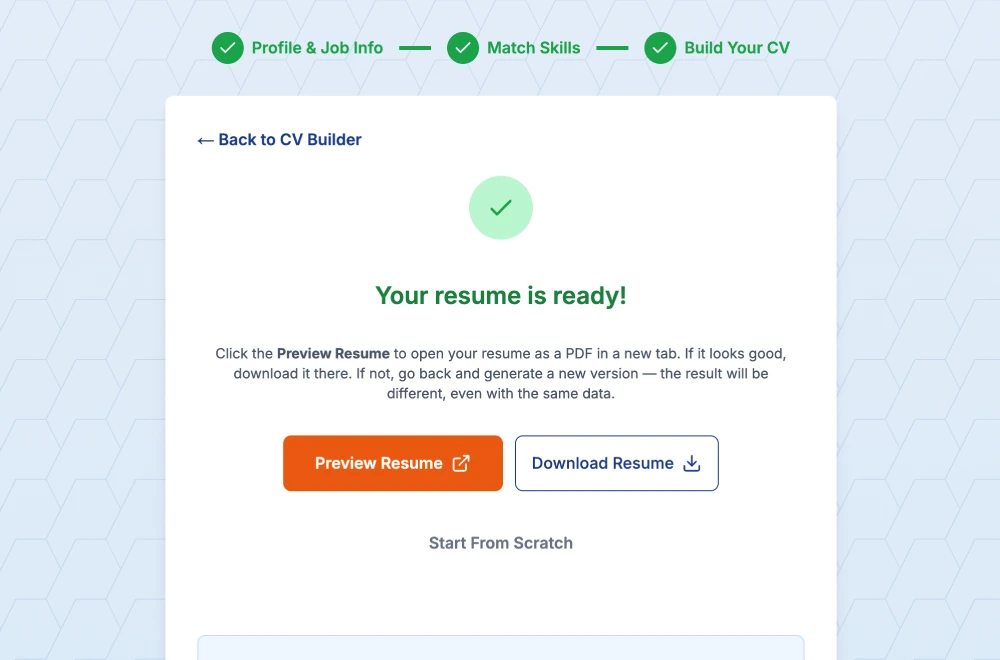
Within about a minute, you get:
- A professionally formatted CV in PDF
- A tailored cover letter
- A relevance score showing how well you match the job
The template they use is designed to pass ATS scans – clean formatting, proper sections, keyword optimization. No graphics that confuse the robots.
You can edit if needed, but honestly? Most of the time it's ready to send.
What Makes This Different From Other Tools?
I've tried a few LinkedIn-to-CV converters before. Some just do a basic data dump – your LinkedIn info shoved into a template with zero intelligence. Others require you to rewrite everything manually anyway.
What sets this apart:
- AI That Understands Job Requirements: It actually reads the job posting and makes your CV relevant to that specific role. Not just a one-size-fits-all conversion.
- Cover Letter Generation: Yeah, it writes a cover letter too. And not a generic "I am writing to express my interest" template. It references the job, your experience, and why you're a match.
- Speed: Genuinely takes about 5 minutes from LinkedIn URL to downloadable CV. I timed it.
- ATS Optimization: The template is built specifically to pass applicant tracking systems. Clean structure, proper heading hierarchy, no weird formatting that breaks the parser.
Also – and this matters if you're applying to multiple jobs – you get credits to create multiple tailored versions. Each job gets its own optimized CV. That's the real value.
Common Mistakes When Converting LinkedIn to CV
1. Keeping the Casual Tone
LinkedIn is social media. Your profile probably has some personality, maybe phrases like "I love tackling complex problems" or "passionate about innovation."
CVs need to be more formal and direct. Replace:
- "I love helping teams succeed" → "Led cross-functional teams to achieve project goals"
- "Passionate about data analysis" → "Proficient in data analysis using Python and SQL"
2. Including Everything
Your LinkedIn might have every job since college, every skill you've ever touched, every endorsement.
Your CV should be focused. If you're applying for a marketing role, that two-month retail job from 2015? Leave it off. Keep it relevant, keep it recent (last 10-15 years max), keep it to 1-2 pages.
3. Ignoring Keywords
ATS systems are dumb. They scan for exact matches. If the job description says "project management" and your CV says "managed projects"... the system might not connect the dots.
You need to mirror the language from the job posting. Not word-for-word plagiarism, but close enough that the algorithm recognizes you have what they want.
4. Bad Formatting
Text boxes, tables, columns, headers/footers, images – all of these can break ATS parsers. Your beautifully designed CV might get rejected before a human ever sees it because the robot couldn't read it.
Stick to simple, clean layouts. Left-aligned text. Standard section headings. Bullet points. That's it.
5. Not Tailoring for Each Job
Sending the same CV to 50 different jobs is a waste of time. Each role has different priorities, different required skills, different keywords.
You don't need to rewrite everything for each application, but at minimum adjust:
- The summary/objective section
- Key skills listed
- Order of bullet points in your experience
- Keywords throughout
Or, you know, use a tool that does this automatically.
Should You Still Maintain a LinkedIn Profile If You Use CV Builder?
Yes, absolutely.
They serve different purposes:
- LinkedIn = networking, personal brand, passive job opportunities, building connections, getting found by recruiters
- CV = active job applications, formal submission to specific roles, ATS systems
Keep your LinkedIn updated because recruiters browse profiles actively. They'll often check your LinkedIn even after receiving your CV to see recommendations, mutual connections, recent activity.
But when applying to jobs? A tailored, ATS-optimized CV beats a LinkedIn profile every time. The profile is designed for browsing, not for scanning by robots.
Final Thoughts
Converting LinkedIn to a CV doesn't have to be a whole thing. It's data you already entered once – why type it all again?
The manual method works if you enjoy tedious copy-pasting and formatting for hours. The smart method takes 5 minutes and gives you something actually optimized for the job you want.
I'm not saying tools replace effort entirely. You still need a solid LinkedIn profile to start with. You still need real experience and skills. But once you have that foundation... why make the application process harder than it needs to be?
Paste your LinkedIn profile link – build ATS CV in 5 minutes with Linked CV Builder →
Try it once. If it saves you an hour on your next application, it's already worth it.
Written by Di Reshtei